
Brilliant.org Review ~Homeschool Helper
I earn a commission from products purchased through links in this post.
Many homeschool parents worry about teaching high school STEM subjects. I understand the concern because there was a time when I felt the same way. I was a bit nervous before I began homeschooling high school. Yes, I was a classroom teacher before homeschooling, but I taught kindergarten. It had been a long time since I thought about things like Algebra, Chemistry, and Physics! Thankfully, Brilliant.org is available to help homeschool families like me.
We do not need to fear homeschooling high school. We just need to have resources to help our kids understand the material.
Brilliant offers unique interactive learning experiences in three core subjects:
- Math
- Science
- Computer science
What do I mean by ‘interactive learning experiences’? Brilliant.org is a new way for students to learn advanced material. It uses active problem solving with easy-to-follow explanations to teach various maths, sciences, and computer sciences. It is sort of like hands-on learning using a computer. A Brilliant user is actively engaged in each stage of the lesson. They are participating, not just watching or reading.
Material is broken into bite-size pieces. Graphics, interactive puzzles controlled with a mouse, and quizzes break up the short written lessons. This helps keep learners engaged.
Ways to Use Brilliant.org in Your Homeschool
This post is sponsored by Brilliant.org, but all thoughts and opinions are my own. By the way, my husband was so excited that I was going to publish a review of Brilliant.org. He had been looking at it for a little while and had been just about to sign up for a membership when I was offered the chance to collaborate with Brilliant. I am very picky about which companies I will partner with, but this was an easy decision!
There are 5 ways that I am using Brilliant.org in my homeschool.
Extra help with coursework
I like using Brilliant.org to offer a new perspective on my kids’ homeschool coursework. An additional in-depth explanation can really help my kids ‘get’ the material. The interactive exploration of concepts helps deepen their understanding so they can apply what they learn. After all, memorizing definitions doesn’t do any good if the student can’t apply the concept to real life.
Currently, my kids are learning chemistry and physics in their science courses. They are doing well with their curricula, but those subjects can be a little tough sometimes. Having another explanation, with interactive examples, is really helpful!
We are also using the math content (Algebra 1 and Algebra 2) to reinforce concepts learned through their textbooks.
I wouldn’t count on one Brilliant.org course to provide enough work to count as a full high school credit (roughly 150 hours) in a subject that builds on prior knowledge, but it is an excellent addition to our homeschool curriculum.
The educational course library contains an impressive variety of courses. Here are a few of the standard STEM courses:
- Pre-Algebra
- Algebra 1 and 2
- Geometry 1 and 2
- Pre-Calculus
- Trigonometry
- Introduction to linear algebra
- Chemical reactions
- Physics of the everyday
- Astrophysics
- Computer science fundamentals
- Programming with Python
Explore a new topic
Sometimes my kids are curious about a topic, but not interested enough to invest in a full curriculum. We just want to explore a topic for a little while with a small commitment. An inquisitive kid is a good thing! I want to always encourage curiosity.
Brilliant.org learners are not locked into any learning paths, so feel free to try out anything that looks interesting.
Educational electives
I think Brilliant.org could be used as the spine of a full curriculum for certain electives. The 150-hour recommendation could be met by combining courses into a general topic or supplementing with books, field trips, and projects.
There are quite a few interactive courses that would make excellent electives for ambitious kids. Some popular courses for electives include:
- Logic
- Math history
- Math for quantitative finance (I’m excited about this one because my son wants to be a quantitative analyst for a hedge fund one day!)
- Cryptocurrency
- Quantum computing
- Artificial neural networks
Become a smarter parent
When I went to high school, what feels like a million years ago, most students only took math through Algebra 2. Sure, a few kids took advanced math classes, but I knew I wanted to teach elementary school, so I didn’t bother. I’m kind of regretting that decision now.
Most, if not all, of the public colleges in North Carolina require incoming students to have had at least one math class past Algebra 2. This means that next year when my daughter is a senior, I will need to teach pre-calculus without ever having taken the class. Different time periods seem to require different skill levels.
I don’t want my own lack of education to hold my kids back, so I’m planning to use Brilliant.org to get a head start on understanding pre-calculus before senior year starts.
Brilliant.org not only helps me learn new material, but it also lets me brush up on topics I haven’t studied in a while. Great teachers are always learning.
Daily challenges
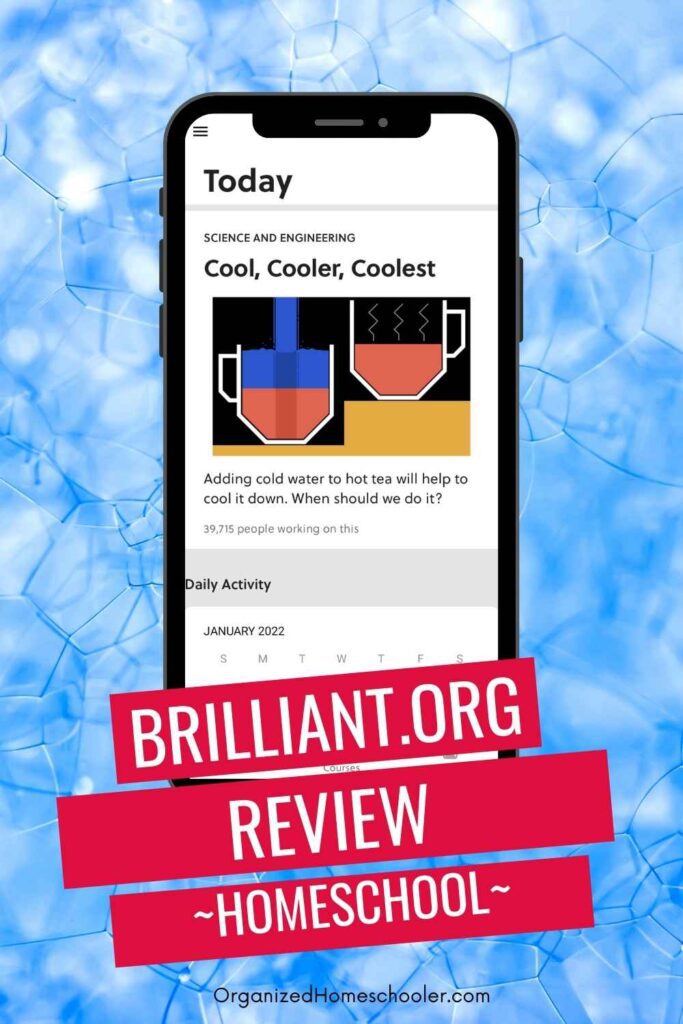
The daily challenge problems are a great way to get ready for the day’s homeschool lessons. It is an excellent warm-up activity to get learners thinking. The daily challenges are challenging problems that cover a variety of STEM concepts. There is an explanation and then an opportunity to solve the puzzle.
The challenges can be found on the website and in the app, making it convenient to keep up daily.

My Thoughts About Brilliant.org
I was really impressed with Brilliant.org!
It is hard to find educational resources that are geared towards older students and advanced topics. I am always looking for new ways to help my kids feel comfortable and confident learning challenging material.
My son noticed something subtle, but important, about this online learning platform. He observed that it wasn’t scary to try something that was new. Some websites make a buzzing noise when selecting the wrong answer. Brilliant.org doesn’t do that. If the wrong answer is selected, it just shows the correct answer and explains why it is correct.
Wrong answers are treated as part of the learning process rather than a mistake. I like that because it aligns with my teaching philosophy.
Brilliant.org is a wonderful way to encourage curiosity about learning. It creates problem solvers who are not afraid to try new things.
Common Questions about Brilliant.org
How can I get started with Brilliant.org?
Head over to Brilliant.org and enter your information to create an account. If you choose the premium account, you will have immediate access to all of the courses. Start with any learning path that looks interesting or helpful.
How much does Brilliant cost?
There are two types of subscriptions on Brilliant.org.
- Free
- Premium
The free option allows learners to participate in the daily problem found under the ‘Today’ tab. That might be enough if you are just looking for a way to warm up before beginning the day’s lessons.
The Premium membership currently costs $149.85 for an annual subscription or $749.99 for a lifetime. This membership level lets learners do the daily problem, access the entire challenge archive, and use every single course.
I think that the Brilliant premium subscription is a great value. In my area, a standard tutor costs at least $50 an hour. For the price of 3 hours of tutoring, your learner can have access to Brilliant.org for an entire year!
You can get a free 7-day trial of the premium membership by first signing up for a free account. After signing up, you should see a free trial banner. Click on that and access your free trial. The free trial offer is only shown for the first 2 days, so make sure you sign up right away if you are interested.
What subjects can I learn on Brilliant?
Brilliant covers 3 main subjects – math, science, and computer science.
Is Brilliant.org worth it?
I think so! High school-level maths and sciences are the toughest for me to teach, so I really appreciate having Brilliant for extra help. It feels like having a tutor on standby.
Is Brilliant available as an app?
Yes! The app is available on Google Play or the Apple Store. You can of course access the full app using data, but you can also download up to 6 courses each month.
Downloading courses will allow you to work through your favorite courses while offline. This is a great way for learners to take advantage of downtime while riding in the car, sitting in waiting rooms, etc.

I am a big fan of Brilliant.org. Head over and check it out for yourself!
Keep reading . . .